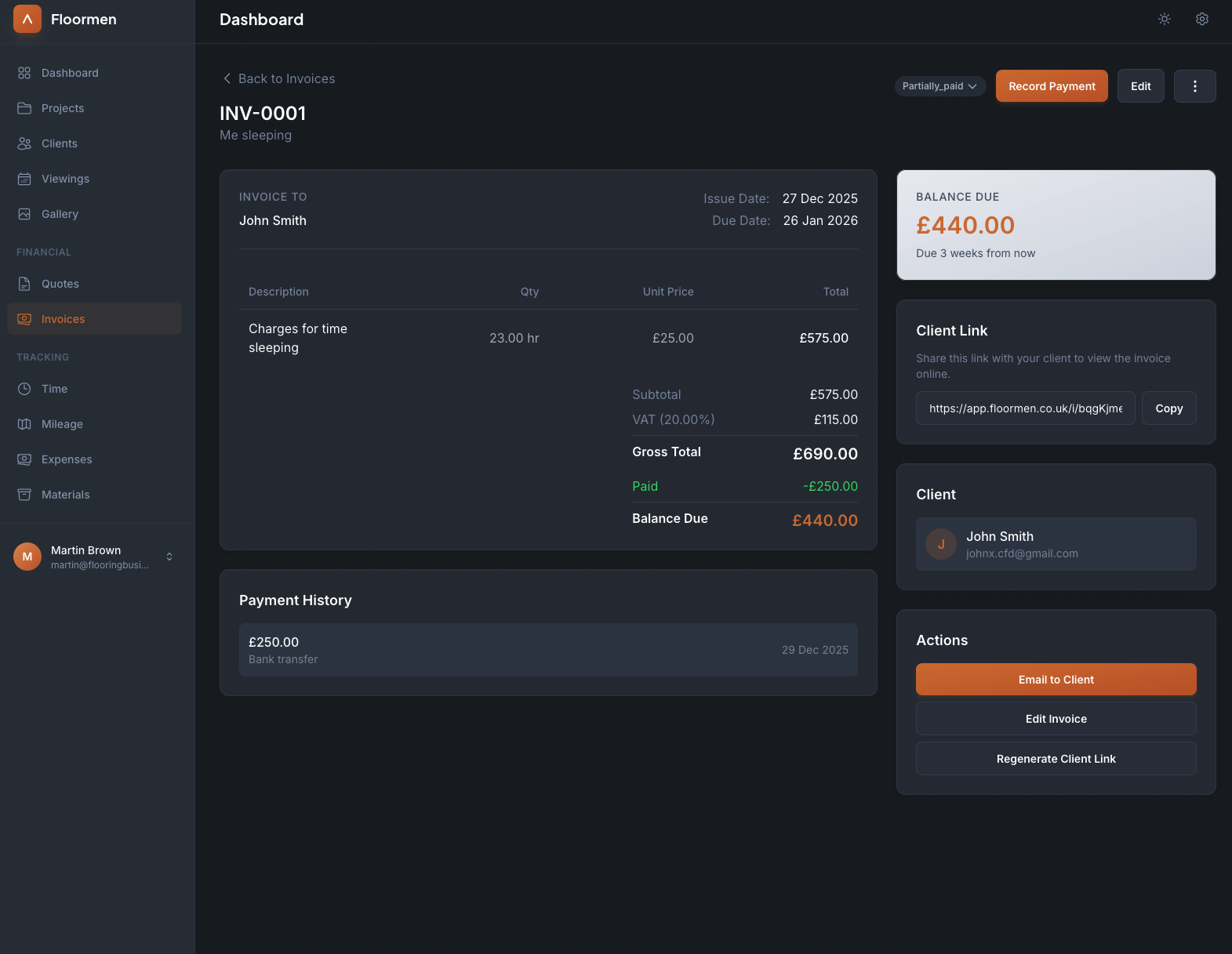
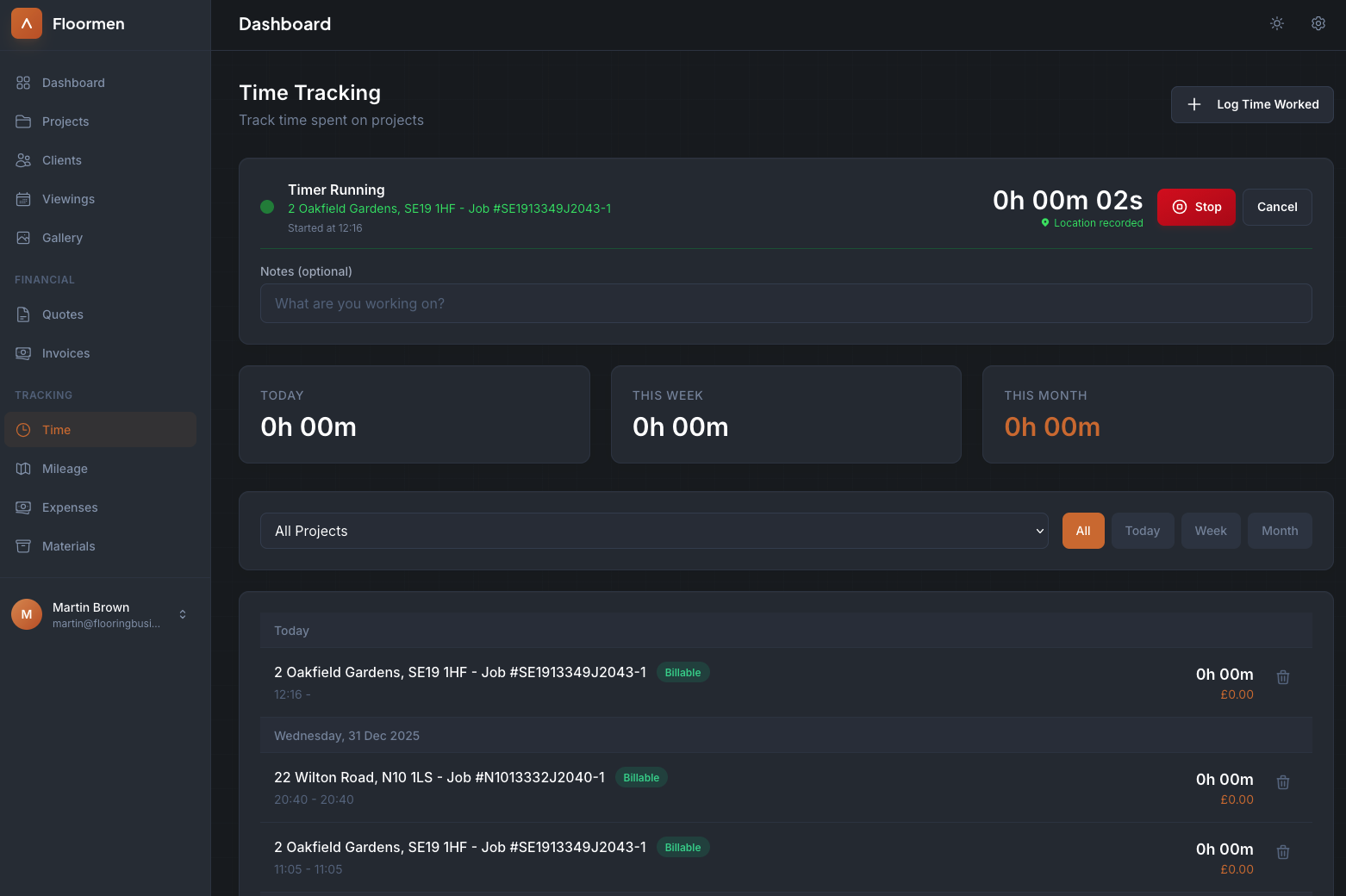
Track Time on Jobs
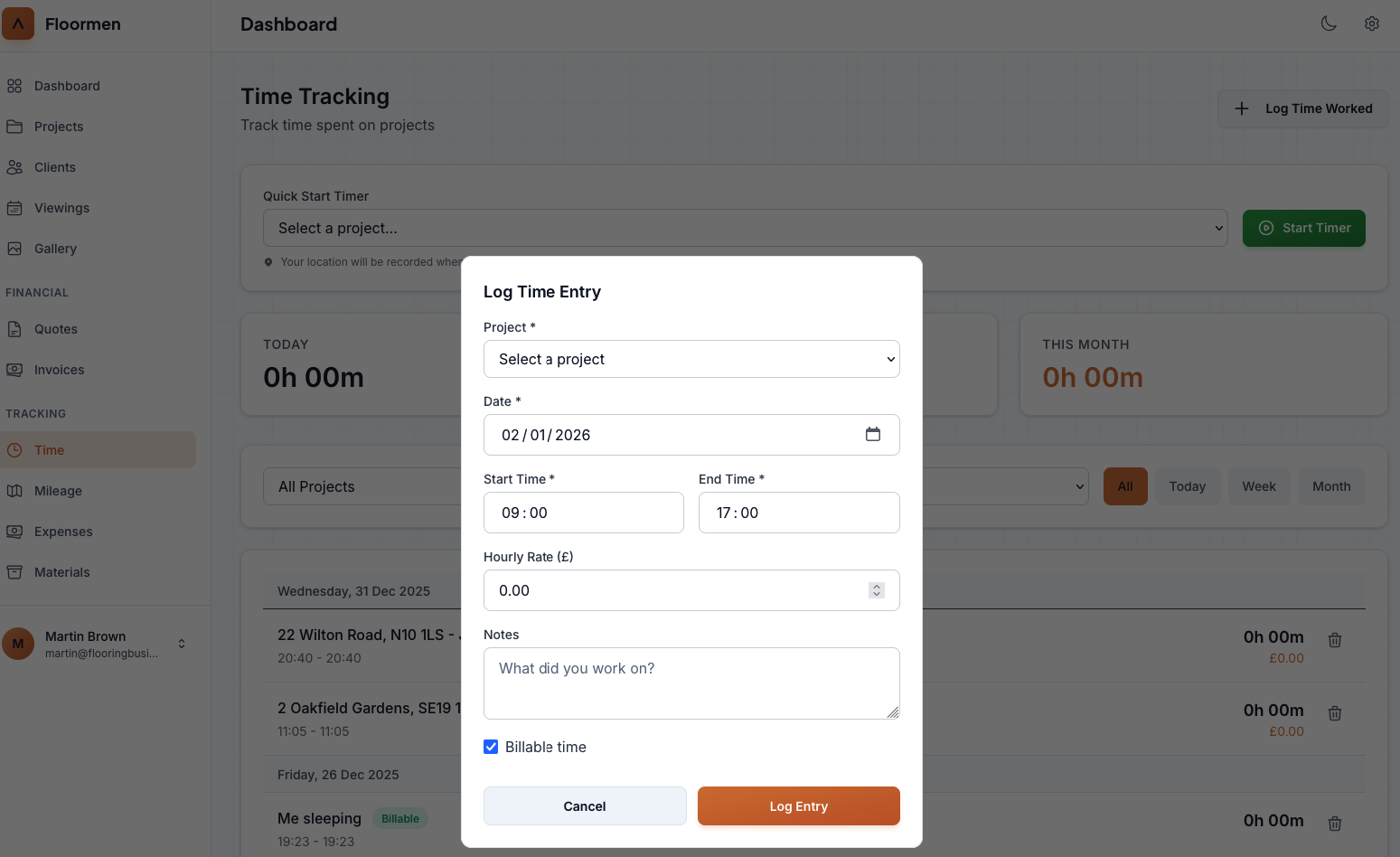
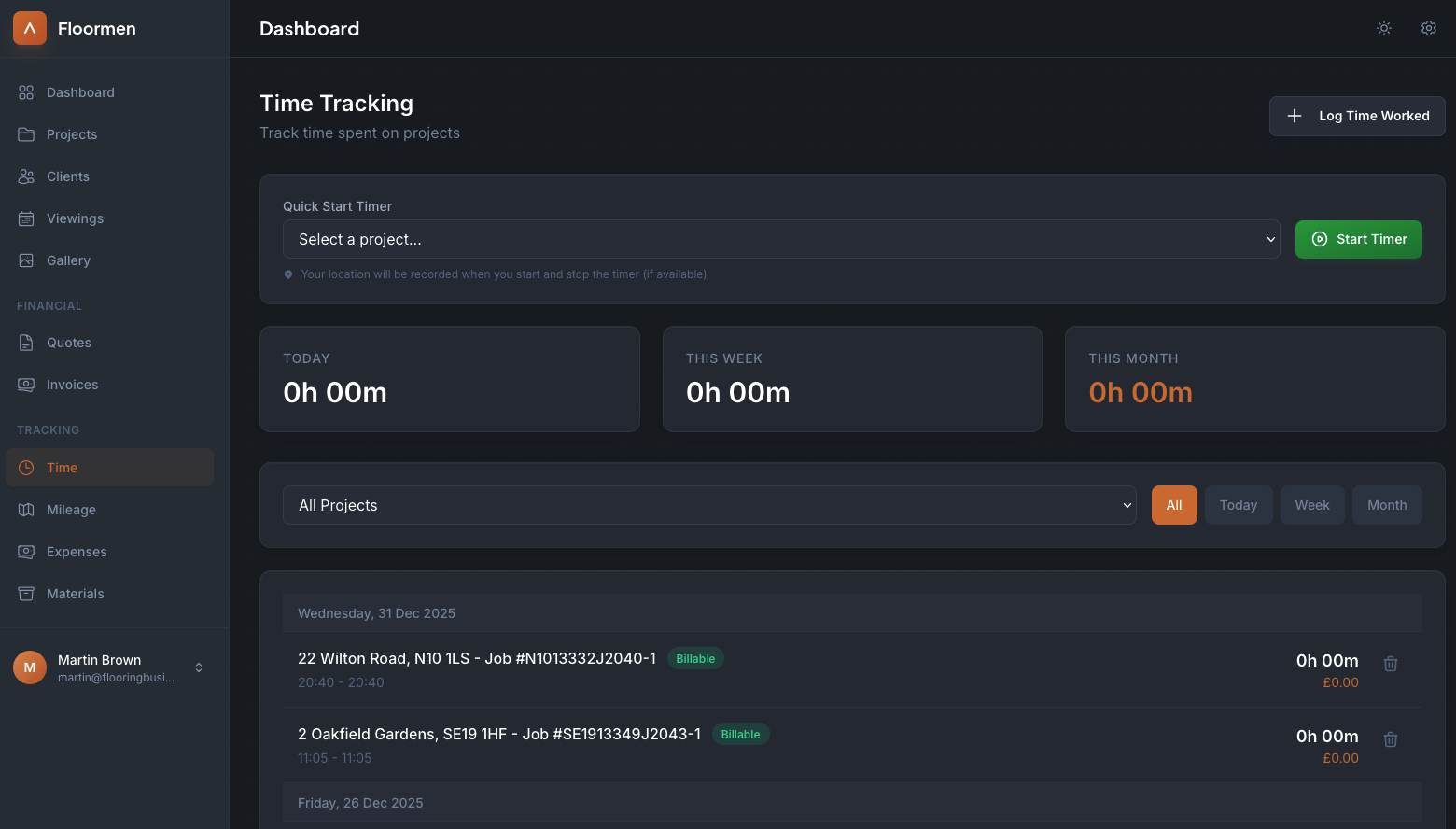
Log time spent on each project with a simple timer or manual entry. See daily, weekly, and monthly totals at a glance. Mark time as billable or non-billable to understand your true earnings.
- Quick start timer for easy tracking
- Manual time entry option
- Daily, weekly, and monthly summaries
- Billable vs non-billable tracking

Detailed Time Logs
View complete time logs for each project. Filter by date range, project, or client. See exactly when you worked and for how long. Perfect for billing clients accurately and understanding where your time goes.
- Complete time log history
- Filter by project or date
- See time value in pounds
- Delete or edit time entries
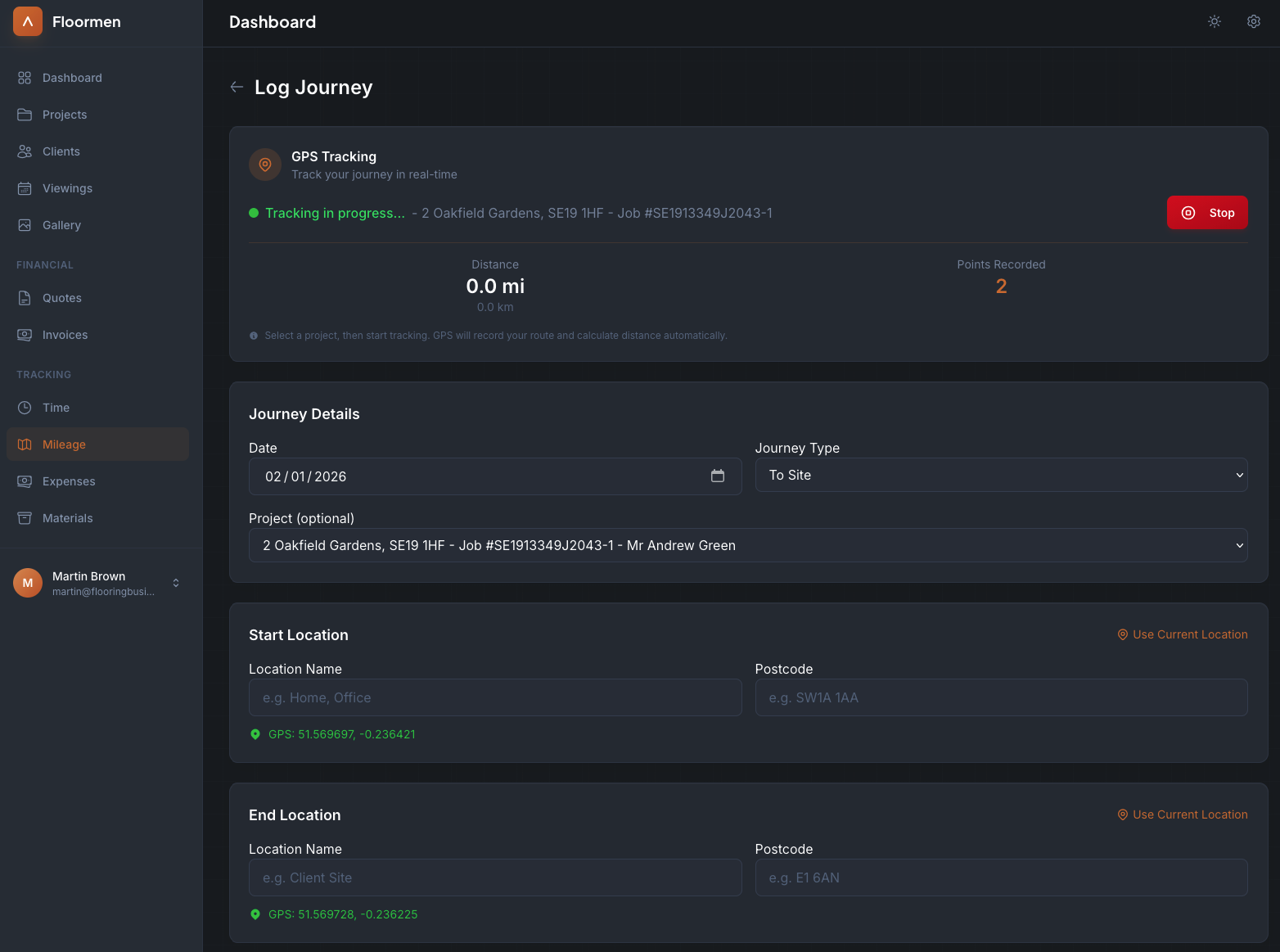
GPS Mileage Tracking
Track journeys to and from job sites with GPS. Record start and end locations, distance travelled, and link to projects. Essential for expense claims and understanding your true costs.
- Real-time GPS tracking
- Automatic distance calculation
- Link journeys to projects
- Track journey type (to site, from site)
Expense Tracking
Record expenses against flooring projects with ease. Track materials, travel costs, parking, and other job-related expenses. Upload up to 5 receipt photos per expense for easy record-keeping and proof of purchase.
- 4 expense categories: materials, travel, parking, other
- Upload up to 5 receipt photos per expense
- Status workflow: draft, confirmed, invoiced
- Filter by project, type, status, or month
Import Expenses to Invoices
Turn expenses into billable line items with one click. Import confirmed expenses directly into invoices for easy client billing. Expenses are automatically marked as invoiced so you never double-bill a client.
- Bulk import expenses to invoices
- Automatic status tracking prevents double-billing
- See expense totals per project at a glance
- Export expenses to CSV for accounting